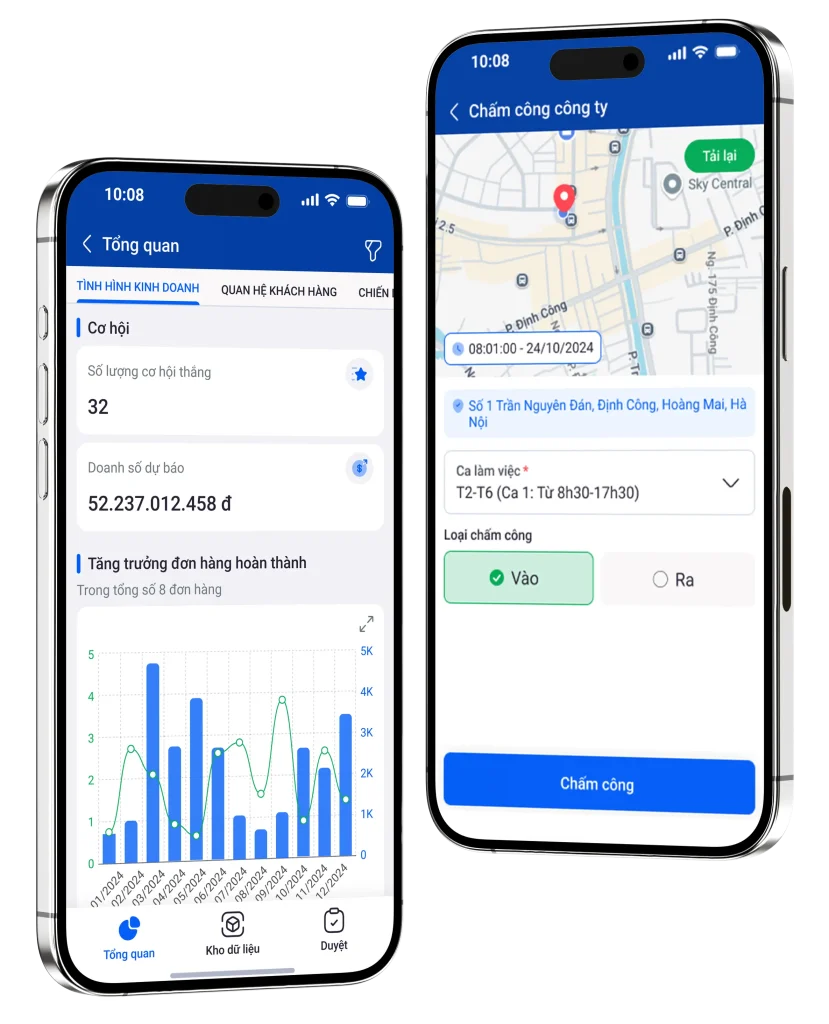
Transforming data-heavy systems into fast,
role-based experiences



Role: UX/UI Designer (Mobile App)
Timeline: 2023 – Present
Team: CTO, FE, BE, App Dev, QA
Overview
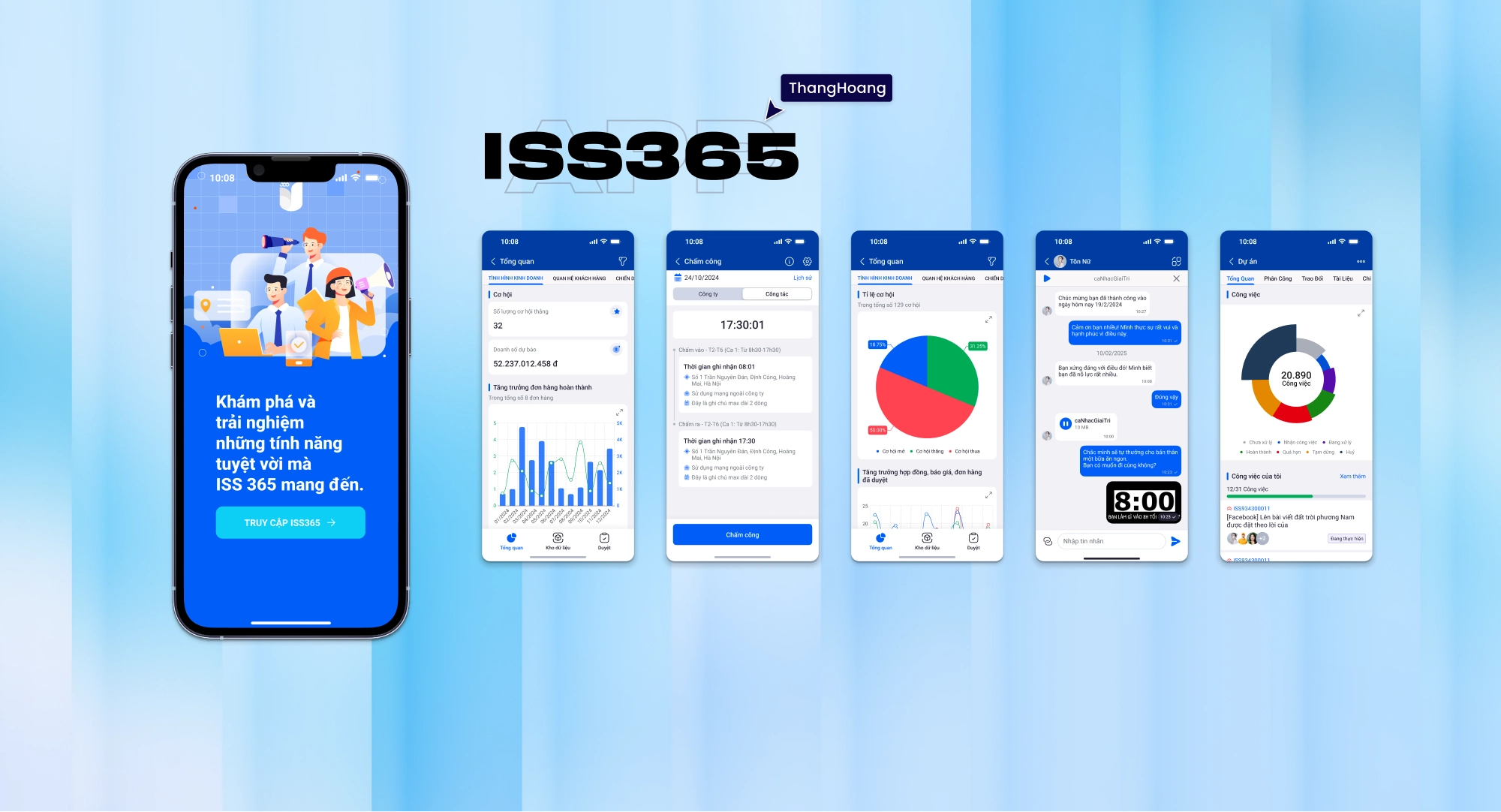
ISS365 is a B2B SaaS platform that helps enterprises manage CRM, HRM, projects, and financial operations in one system.
Target audience
- Employees
- Managers
- Accountants
- Directors
Client
Enterprise companies and organizations using app to manage internal operations and business workflows.
Users value clarity, speed, and the ability to take action quickly on mobile without navigating complex systems.
I. Problem
User
- Employees needed to check in/out, submit requests, and track tasks
- Managers needed to review and approve workflows
- Accountants needed to handle financial data and reports
Business
- Reduced productivity due to inefficient workflows
- Difficulty scaling system usage across teams
- Limited decision-making speed for managers and executives
🎯 Core challenge
How might we transform complex, data-heavy enterprise systems into fast, actionable mobile experiences for different roles?
II. Approach

Understanding workflows
- Analyzed existing web system flows
- Identified bottlenecks and redundant steps
- Mapped workflows across different roles (employee, manager, accountant)
Key insight
Enterprise users don’t need full systems on mobile — they need fast access to critical actions.
Product strategy
- Prioritize high-frequency actions on mobile
- Reduce steps and cognitive load
- Design role-based experiences
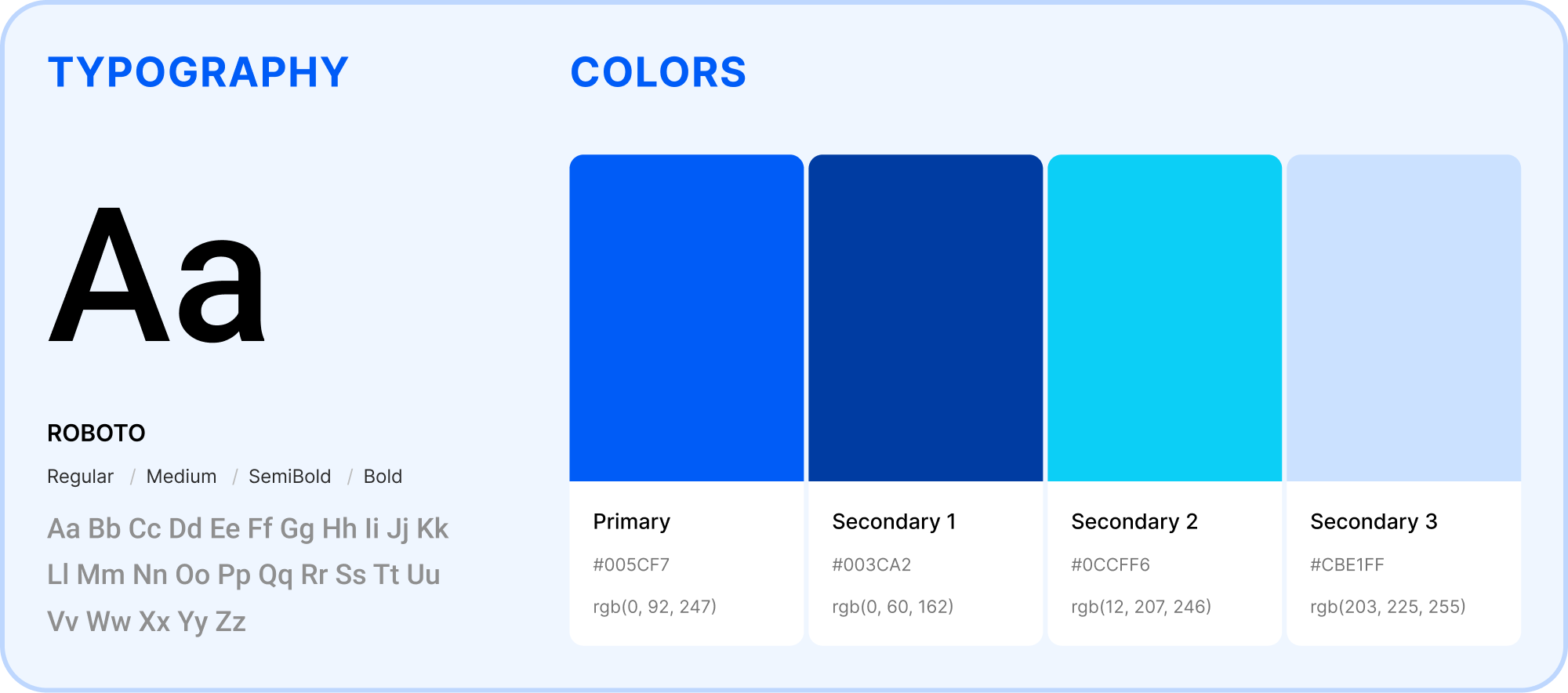
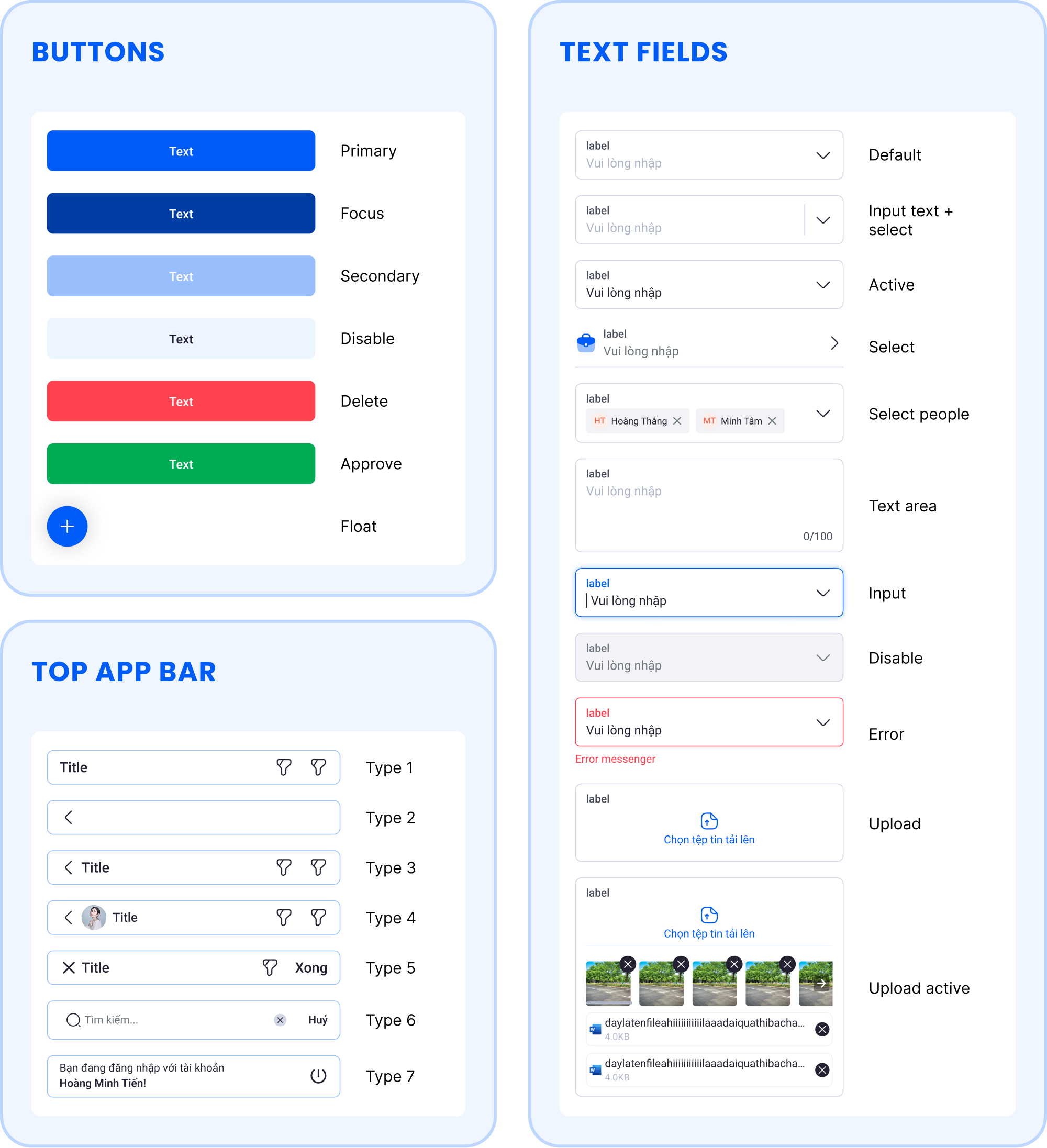
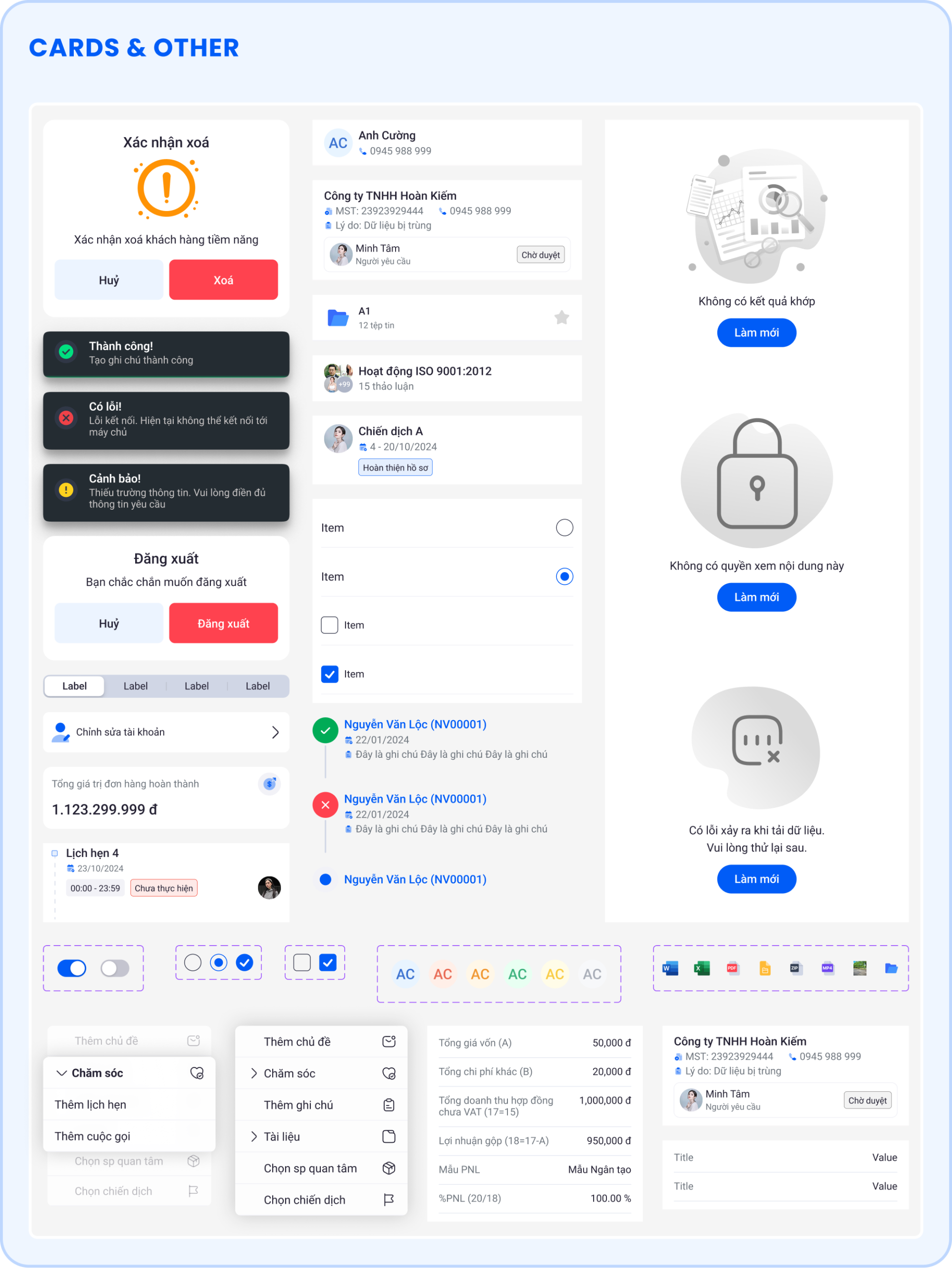
- Ensure consistency with the existing web system
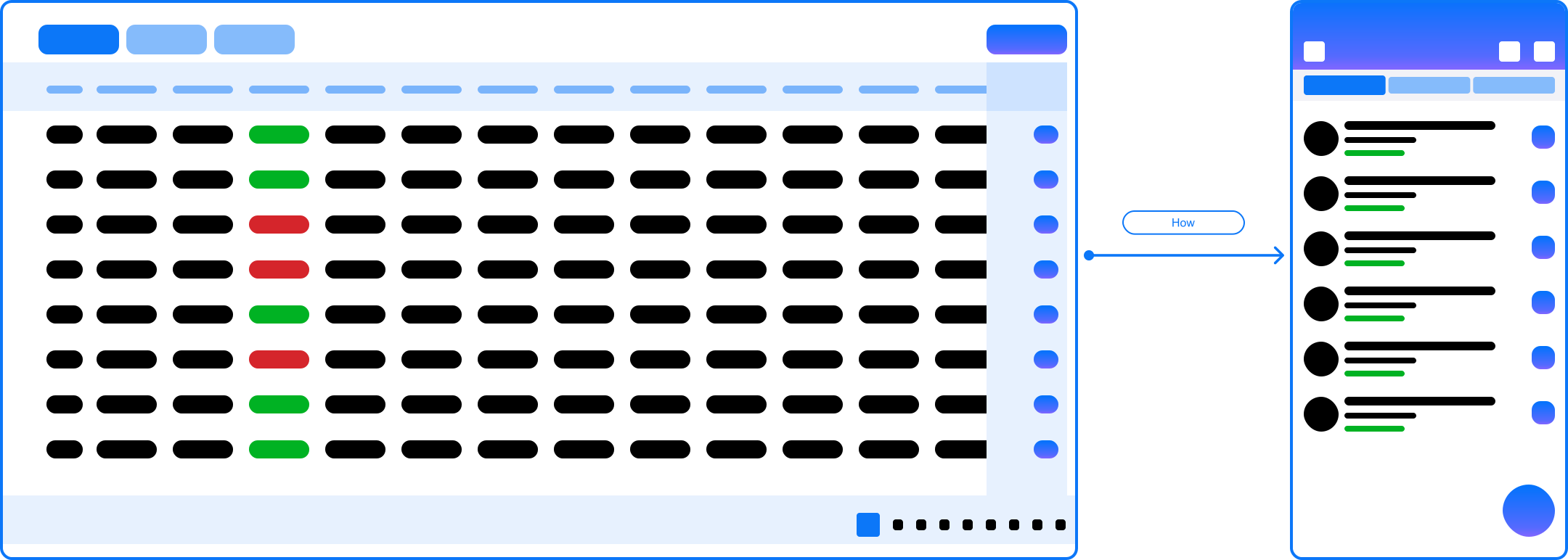
User Flow Optimization
Reducing steps and improving clarity in mobile interactions
III. Solution
1
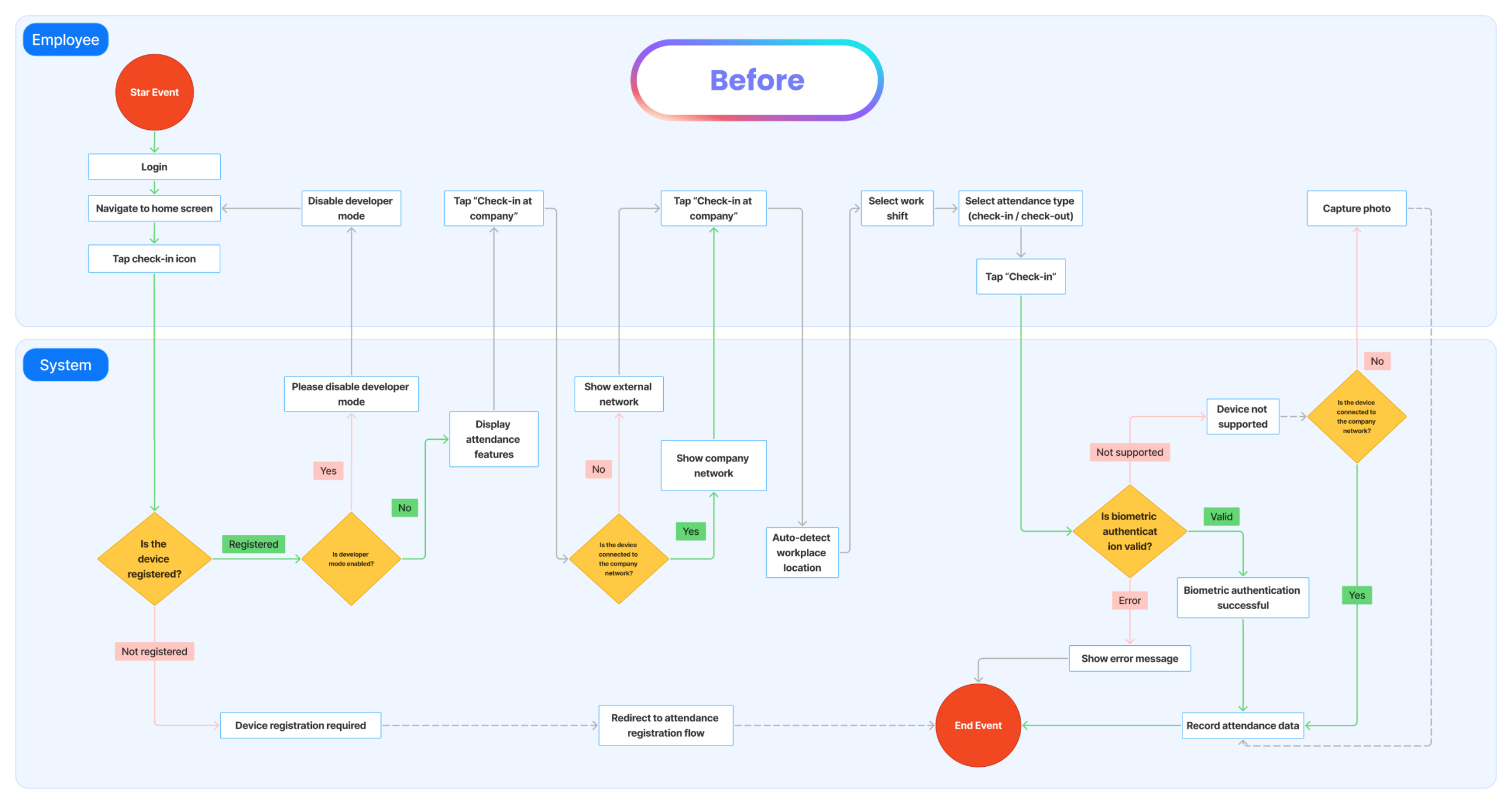
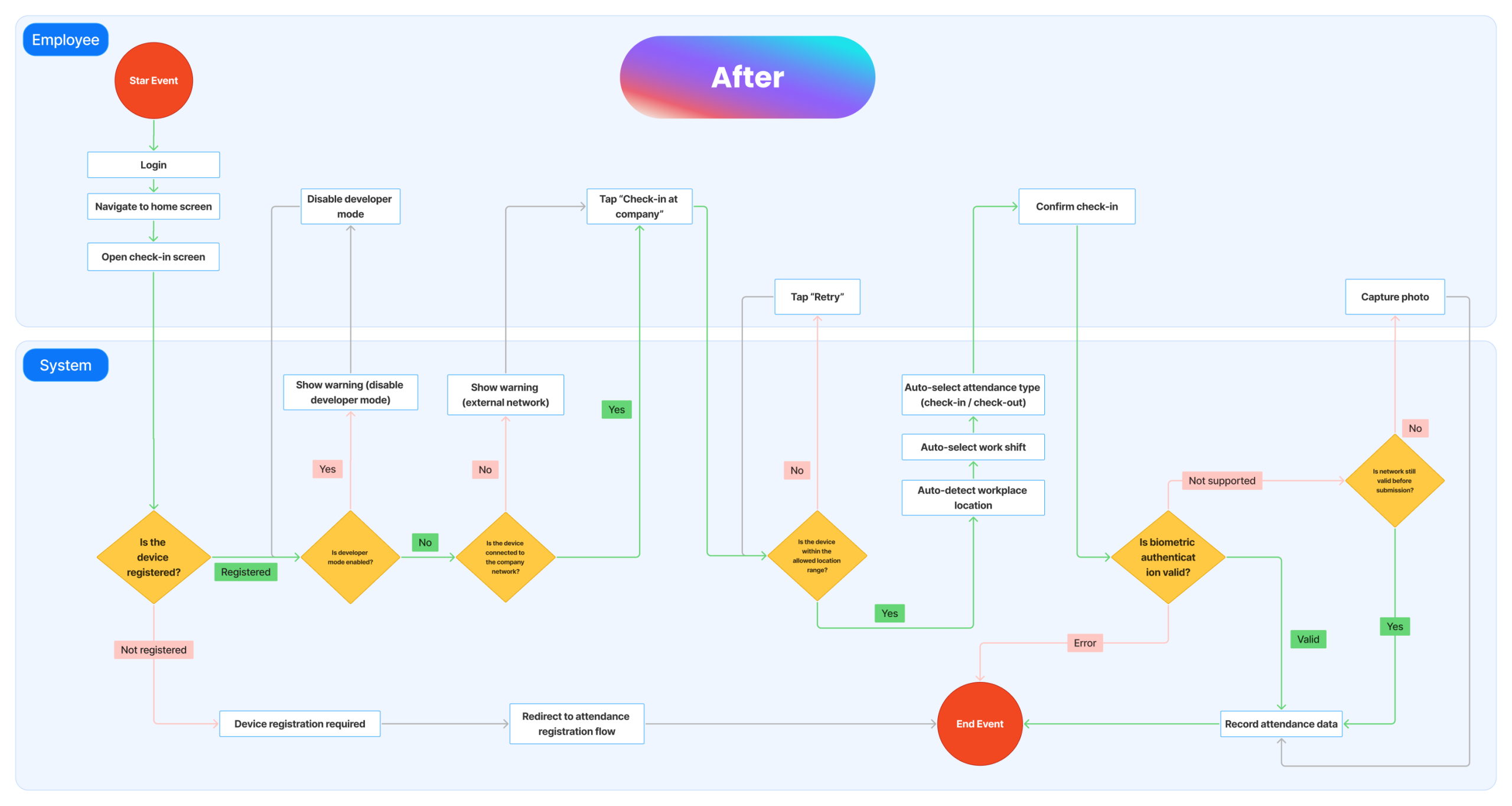
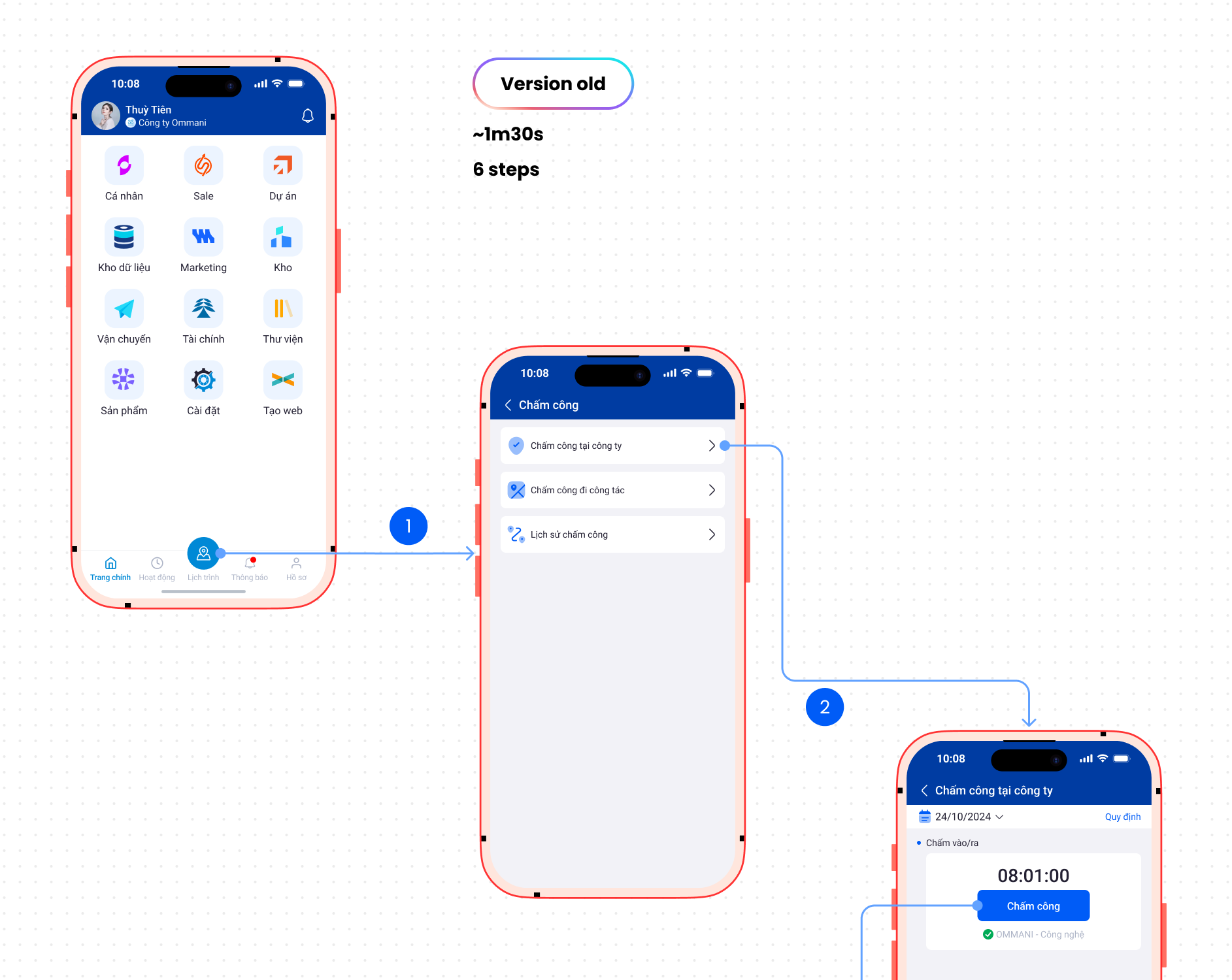
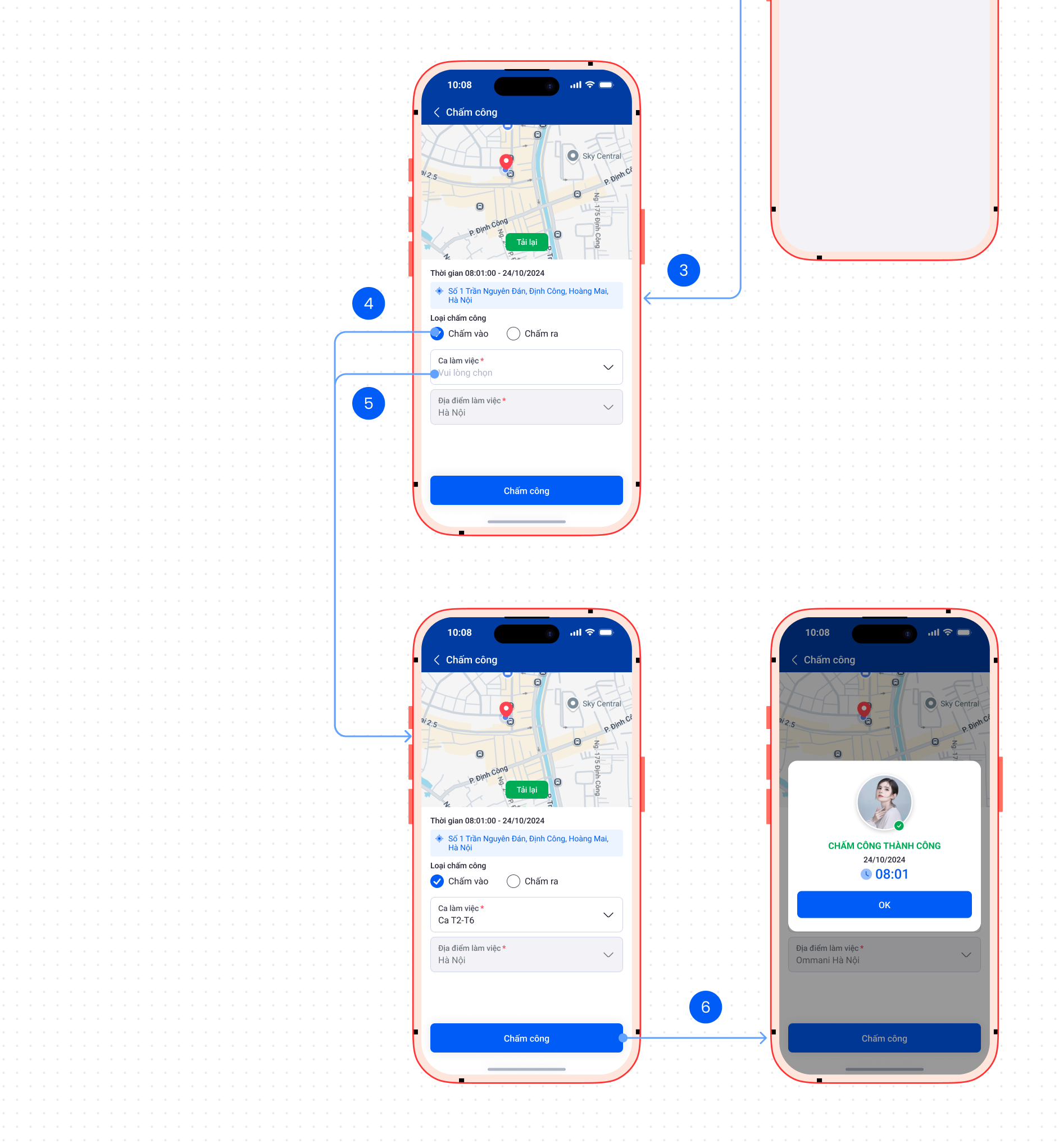
Workflow simplification (attendance case)
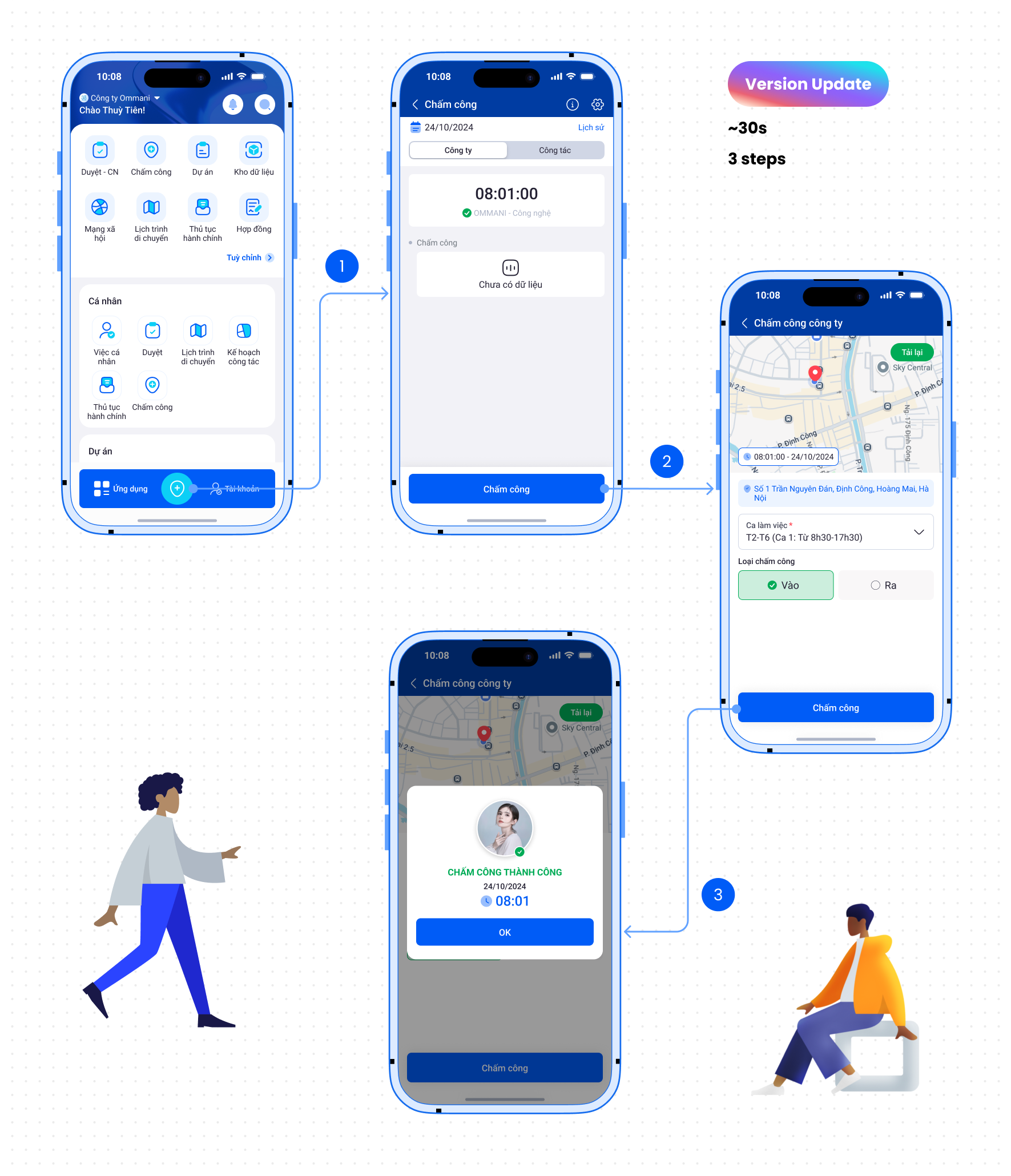
- Reduced attendance flow from 6 steps → 3 steps
- Optimized for quick interaction (<30 seconds)
- Removed unnecessary confirmations and inputs
👉 Significantly faster daily operations


What worked best
This version delivers the fastest and most intuitive experience, reducing check-in time to under 30 seconds and leveraging backend-driven suggestions to guide users toward the correct check-in/out type and shift.
2
Role-based experience design
- Employees → quick actions (check-in, tasks, progress tracking)
- Managers → approvals, team monitoring, performance tracking
- Accountants → financial workflows, expense control
👉 Reduced complexity by showing only relevant information per role
3
Data-heavy dashboard optimization
- Transformed complex business data (customers, revenue, KPIs) into clear, scannable mobile views
- Prioritized key metrics for quick decision-making
- Reduced information overload through hierarchy and grouping
👉 Enabled executives to monitor business performance directly on mobile
4
Mobile-first decision-making flows
- Approving quotations, orders, and expenses
- Tracking financial status (cash flow, costs)
- Monitoring team progress and opportunities
👉 From “view-only on mobile”→ to “take action anywhere”
5
Multi-module system design
- CRM (opportunities, contracts, orders)
- HRM (attendance, approvals)
- Project management (tasks, progress tracking)
- Financial workflows
👉 Ensured consistency across modules while maintaining usability
Business impact
$100K+
Annual revenue
Product impact
2x
Reduced workflow complexity across modules
User impact
Zero
Training required